grok-build-readme.md
<div align="center">
<h1> <picture> <source media="(prefers-color-scheme: dark)" srcset="https://media.x.ai/v1/website/spacexai-symbol-white-transparent-0c31957f.png"> <source media="(prefers-color-scheme: light)" srcset="https://media.x.ai/v1/website/spacexai-symbol-black-transparent-6435cf42.png"> <img alt="SpaceXAI logo" src="https://media.x.ai/v1/website/spacexai-symbol-black-transparent-6435cf42.png" width="96"> </picture> <br> Grok Build (<code>grok</code>) </h1>
Grok Build is SpaceXAI's terminal-based AI coding agent. It runs as a full-screen TUI that understands your codebase, edits files, executes shell commands, searches the web, and manages long-running tasks — interactively, headlessly for scripting/CI, or embedded in editors via the Agent Client Protocol (ACP).
Installing the released binary · Building from source · Documentation · Repository layout · Development · Contributing · License
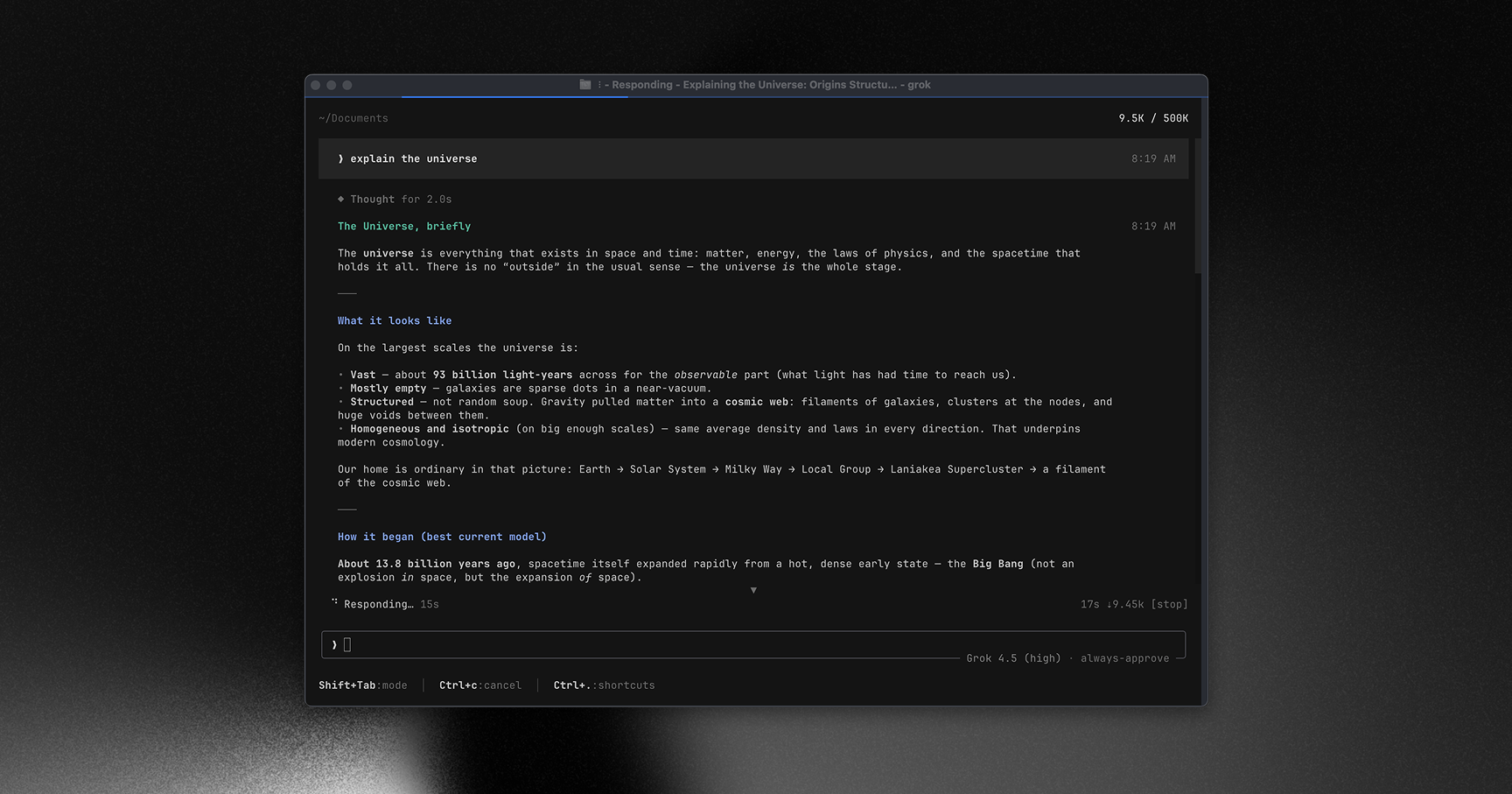
Learn more about Grok Build at x.ai/cli
This repository contains the Rust source for the grok CLI/TUI and its agent runtime. It is synced periodically from the SpaceXAI monorepo.
A small SOURCE_REV file at the root records the full monorepo commit SHA for the version of the code present in this tree.
</div>
Installing the released binary
Prebuilt binaries are published for macOS, Linux, and Windows:
curl -fsSL https://x.ai/cli/install.sh | bash   # macOS / Linux / Git Bash
irm https://x.ai/cli/install.ps1 | iex          # Windows PowerShell
grok --version
See the changelog for the latest fixes, features, and improvements in each release.
Building from source
Requirements:
- Rust — the toolchain is pinned by 0;
rustupinstalls it automatically on first build. - DotSlash — required so hermetic tools under 0 (notably 1) can download and run. Install it and ensure
dotslashis on yourPATHbefore building:cargo install dotslash # or: prebuilt packages — https://dotslash-cli.com/docs/installation/ /usr/bin/env dotslash --help # sanity check - protoc — proto codegen resolves 0 via DotSlash, or falls back to a
protoconPATH/$PROTOC. - macOS and Linux are supported build hosts; Windows builds are best-effort and not currently tested from this tree.
cargo run -p xai-grok-pager-bin              # build + launch the TUI
cargo build -p xai-grok-pager-bin --release  # release binary: target/release/xai-grok-pager
cargo check -p xai-grok-pager-bin            # fast validation
The binary artifact is named xai-grok-pager; official installs ship it as grok. On first launch it opens your browser to authenticate — see the authentication guide.
Documentation
Full online documentation is available at docs.x.ai/build/overview.
The user guide ships with the pager crate: 0 — getting started, keyboard shortcuts, slash commands, configuration, theming, MCP servers, skills, plugins, hooks, headless mode, sandboxing, and more.
Repository layout
| Path | Contents |
|---|---|
crates/codegen/xai-grok-pager-bin | Composition-root package; builds the xai-grok-pager binary |
crates/codegen/xai-grok-pager | The TUI: scrollback, prompt, modals, rendering |
crates/codegen/xai-grok-shell | Agent runtime + leader/stdio/headless entry points |
crates/codegen/xai-grok-tools | Tool implementations (terminal, file edit, search, ...) |
crates/codegen/xai-grok-workspace | Host filesystem, VCS, execution, checkpoints |
crates/codegen/... | The rest of the CLI crate closure (config, MCP, markdown, sandbox, ...) |
crates/common/, crates/build/, prod/mc/ | Small shared leaf crates pulled in by the closure |
third_party/ | Vendored upstream source (Mermaid diagram stack) — see below |
[!IMPORTANT] The root
Cargo.toml(workspace members, dependency versions, lints, profiles) is generated — treat it as read-only. Prefer editing per-crateCargo.tomlfiles.
Development
cargo check -p <crate>        # always target specific crates; full-workspace builds are slow
cargo test -p xai-grok-config # per-crate tests
cargo clippy -p <crate>       # lint config: clippy.toml at the repo root
cargo fmt --all               # rustfmt.toml at the repo root
Contributing
[!NOTE] External contributions are not accepted. See 0.
License
First-party code in this repository is licensed under the Apache License, Version 2.0 — see 0.
Third-party and vendored code remains under its original licenses. See: